
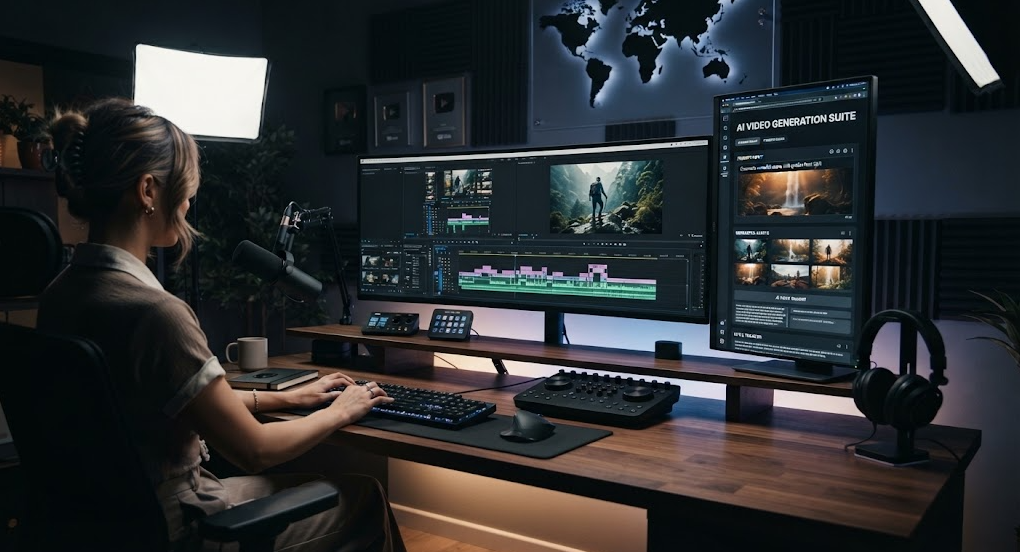
Creating a YouTube video used to require a camera, microphone, editing software, and hours of production work. Today, artificial intelligence can help simplify many parts of the process.
AI can help you develop video ideas, write scripts, create visuals, generate voiceovers, add subtitles, edit footage, and optimize titles and descriptions. However, creating a successful YouTube video is not simply about pressing a button and publishing AI-generated content.
The best results come from combining AI tools with human creativity, editing, fact-checking, and storytelling.
This beginner’s guide explains how to create a YouTube video using AI from start to finish.
What Can AI Do for YouTube Videos?
AI can assist with almost every stage of video production.
| Video Production Task | How AI Can Help |
|---|---|
| Topic research | Generate ideas and organize information |
| Script writing | Create outlines and first drafts |
| Storytelling | Develop hooks and narrative structures |
| Images | Create visual concepts and artwork |
| Video clips | Generate or assist with video footage |
| Voiceover | Convert scripts into narration |
| Subtitles | Automatically transcribe speech |
| Editing | Find clips, remove pauses and organize footage |
| Music | Help create background music |
| Thumbnail | Generate visual concepts and designs |
| SEO | Suggest titles, descriptions and keywords |
You don’t need to use AI for every step. Use it where it saves time or improves your workflow.
Step 1: Choose a YouTube Video Topic
Start with a topic that has a clear purpose.
Examples include:
- Tutorials
- Product reviews
- Educational videos
- Travel videos
- Technology
- Music
- Fitness
- Gaming
- Stories
- News and commentary
- Documentary-style videos
- How-to guides
Instead of choosing a very broad topic, create a specific video idea.
For example:
Broad: AI
Better: How AI Can Help Students Study Faster
Broad: Photography
Better: 7 Camera Settings Every Beginner Should Understand
A specific topic makes it easier to create a focused video.
Step 2: Research the Topic
Before writing your script, research the subject.
AI can help you:
- Generate questions
- Organize research
- Identify important points
- Create an outline
- Explain complicated concepts
However, don’t assume everything an AI tool says is correct.
For important facts, verify information using reliable sources. This is particularly important for health, finance, technology specifications, current events, laws, and other topics where inaccurate information can mislead viewers.
Step 3: Create a Video Outline
A good YouTube video usually needs a clear structure.
A simple educational video could follow this format:
1. Hook
Give viewers a reason to continue watching.
2. Introduction
Explain what the video will cover.
3. Main Content
Present the important information.
4. Examples
Show practical examples or demonstrations.
5. Summary
Recap the most important points.
6. Call to Action
Invite viewers to subscribe, comment, or watch another relevant video.
The exact structure can change depending on the type of video.
Step 4: Write the Script With AI
AI can help you create a first draft of your script.
Give it information about:
- Your topic
- Target audience
- Video length
- Tone
- Important points
- Examples
- Video format
For example, you could ask an AI writing tool to create a five-minute beginner-friendly script about a technology topic.
But don’t publish the first draft without reviewing it.
Read the script yourself and remove:
- Repeated ideas
- Generic introductions
- Unnecessary explanations
- Incorrect information
- Robotic wording
- Unsupported claims
Add your own examples and perspective to make the video more original.
Step 5: Create the Voiceover
You have several options for narration.
Record Your Own Voice
Your own voice can make a channel feel more personal and recognizable.
You can record using:
- A smartphone
- USB microphone
- Camera microphone
- Computer microphone
Use an AI Voice
AI voice technology can generate narration from a written script.
This can be useful if you don’t want to record your own voice or need narration in different languages.
Before using an AI-generated voice, check the tool’s licensing terms and make sure your intended use is permitted.
Step 6: Create Visuals
Your video needs visuals that support the narration.
Depending on the subject, you can use:
- Your own video footage
- Screen recordings
- Stock footage
- Photographs
- Illustrations
- AI-generated images
- AI-generated video clips
- Charts
- Diagrams
- Animations
For example, if your video explains how an AI model works, you could use diagrams and animations rather than showing unrelated stock footage.
The visual should support what the viewer is hearing.
Step 7: Generate AI Video Clips
Some AI video tools can create short video clips from text or images.
You could describe a scene and generate a visual sequence that matches your concept.
For example:
A cinematic aerial view of a futuristic city at sunset, realistic lighting, slow camera movement.
AI-generated video can be useful for:
- Music videos
- Creative storytelling
- Background scenes
- Concept videos
- Short-form videos
- Visual effects
However, generated footage can sometimes contain visual inconsistencies. Review every clip before adding it to your final video.
Step 8: Edit the Video
Video editing brings everything together.
A typical editing workflow looks like this:
Voiceover → Main footage → Supporting visuals → Music → Sound effects → Captions → Transitions → Final review
AI-assisted editing can help identify clips, generate captions, remove pauses, or organize footage.
But manual editing is still important.
Check:
- Audio volume
- Video quality
- Timing
- Transitions
- Text readability
- Spelling
- Music volume
- Visual consistency
Don’t add effects simply because they are available. Use them when they improve the viewer’s experience.
Step 9: Add Background Music
Background music can help create the right mood.
For example:
- Educational video → light background music
- Travel video → atmospheric music
- Documentary → cinematic music
- Workout video → energetic music
- Music channel → music as the primary content
Make sure you have the appropriate rights to use the music.
Using copyrighted music without permission can result in copyright claims or other restrictions.
Step 10: Add Captions
Captions can make your videos easier to follow and accessible to more viewers.
AI transcription tools can automatically generate subtitles from your voiceover.
Always review automatically generated captions because names, technical terms, and unusual words can be transcribed incorrectly.
Step 11: Create an Eye-Catching Thumbnail
The thumbnail is one of the first things viewers see when they encounter your video.
A good thumbnail should communicate the video’s subject quickly.
Consider using:
- One clear main subject
- Strong visual contrast
- Simple composition
- Large readable text
- A recognizable visual style
- A clear emotional or informational message
Avoid filling the thumbnail with too many words or unrelated objects.
For example, instead of:
“EVERYTHING YOU NEED TO KNOW ABOUT ARTIFICIAL INTELLIGENCE IN 2026”
you could use a much shorter phrase such as:
“AI MADE SIMPLE”
The exact design depends on your channel and audience.
Step 12: Create the YouTube Title
Your title should tell viewers what they can expect.
Examples:
- How to Create a YouTube Video Using AI
- I Made a YouTube Video Using AI
- How to Make YouTube Videos With AI
- Complete AI Video Creation Guide for Beginners
- How to Create AI Videos Step by Step
Avoid misleading titles that promise something the video does not deliver.
Step 13: Write the Description
Your description can explain the video and provide additional information.
A useful description can include:
- A short introduction
- Main topics covered
- Important links
- Related videos
- Credits
- Relevant resources
- Chapters when appropriate
AI can help create a first draft, but make sure the final description accurately represents the actual video.
Step 14: Add Relevant Keywords
AI can help brainstorm search phrases related to your topic.
For example, for a video about creating AI videos, relevant phrases might include:
- AI video creation
- how to make AI videos
- AI video generator
- create YouTube videos with AI
- AI video editing
- AI content creation
- YouTube AI tools
Use keywords naturally in your title, description, spoken content, and other relevant metadata.
Avoid stuffing unrelated keywords into your description.
Step 15: Upload and Review Your Video
Before publishing, watch the complete video from beginning to end.
Check:
- Title
- Thumbnail
- Description
- Audio
- Video quality
- Captions
- Links
- Copyright information
- Spelling
- Visual errors
It is easy to miss a problem when you only watch individual sections.
A final full review can catch mistakes before your audience sees them.
How Long Should an AI YouTube Video Be?
There is no universal ideal length.
A video should be as long as necessary to deliver its value without unnecessary filler.
For example:
- Simple tutorial: 3–8 minutes
- Educational explanation: 5–15 minutes
- Detailed tutorial: 10–30 minutes
- Documentary: 10–30+ minutes
- YouTube Short: short-form vertical content
Focus on keeping viewers interested rather than artificially making videos longer.
AI Tools for Different YouTube Tasks
You can organize your workflow by task rather than trying to find one tool that does everything.
| Task | AI Can Help With |
|---|---|
| Ideas | Topic brainstorming |
| Research | Questions and information organization |
| Script | Drafting and editing |
| Voice | AI narration |
| Images | Visual generation |
| Video | Generating or editing clips |
| Editing | Transcription and workflow assistance |
| Captions | Automatic subtitles |
| Thumbnail | Design concepts |
| SEO | Titles and descriptions |
The best combination of tools depends on the type of channel you are building.
Can You Monetize AI-Generated YouTube Videos?
Potentially, but simply using AI does not guarantee monetization.
A successful channel generally needs to provide original value to viewers and comply with YouTube’s current policies.
Examples of ways a YouTube channel may generate income include:
- Advertising revenue
- Sponsorships
- Affiliate marketing
- Memberships
- Merchandise
- Digital products
- Services
- Direct business opportunities
Before building a channel around AI-generated content, check the latest YouTube monetization and content policies and make sure your videos meet the applicable requirements.
Common Mistakes to Avoid
Publishing Completely Automated Videos
Automatically generating a script, voice, images, and video and uploading everything without review can result in low-quality content.
Using Copyrighted Content Without Permission
Don’t assume that content found online is free to use.
Check the licensing terms for music, footage, images, and other media.
Making Every Video About AI
AI is a production technology, not necessarily the subject of your channel.
You can use AI to create videos about many different topics.
Using Too Much AI Voice
A monotonous voice can make videos difficult to watch.
Use natural pacing, appropriate pauses, and engaging visuals.
Making Clickbait Thumbnails
A thumbnail should attract attention without making promises that the video doesn’t fulfill.
Ignoring Your Audience
Your analytics can tell you which videos viewers watch, where they stop watching, and which topics receive interest.
Use this information to improve future videos.
A Simple AI YouTube Workflow
For beginners, the complete process can be simplified to:
Choose Topic → Research → Outline → Script → Voiceover → Visuals → Edit → Captions → Thumbnail → Title → Description → Upload → Analyze
You don’t need to automate every step.
Start with the parts that take you the most time and gradually improve your workflow.
Final Thoughts
AI has made video production more accessible, but creating a good YouTube channel still requires creativity, planning, editing, and consistency.
Use AI to speed up repetitive tasks and explore ideas, but keep human judgment involved throughout the process. Check facts, edit scripts, review generated visuals, use properly licensed media, and make sure each video provides something useful or entertaining for viewers.
The goal should not be to create as many videos as possible. The goal is to create videos that people actually want to watch.
Start with one topic, create a simple video, learn from the result, and improve your next video. Over time, AI can become a powerful part of your YouTube production workflow.
Frequently Asked Questions
Can I create a YouTube video entirely with AI?
Technically, AI tools can assist with scripts, voices, images, video clips, and editing. However, reviewing and improving the final result yourself is important for quality, accuracy, originality, and audience value.
Do I need a camera to make YouTube videos with AI?
No. Depending on your video format, you can create videos using screen recordings, animations, generated images, video clips, voiceovers, or other visual content without appearing on camera.
Can AI create YouTube Shorts?
Yes. AI can assist with ideas, scripts, captions, images, voiceovers, and editing for short-form videos.
Can I use an AI voice on YouTube?
AI-generated voices can be used in some YouTube content, but you should check the applicable tool licensing terms and YouTube’s current policies, especially when the content involves realistic or synthetic representations.
Can AI-generated videos make money on YouTube?
AI use itself does not guarantee monetization. Your channel and videos need to meet YouTube’s applicable monetization and content requirements and provide value to viewers.
What is the best AI tool for YouTube videos?
There is no single best tool for every creator. The right choice depends on whether you need help with scripting, voice generation, images, video generation, editing, thumbnails, or SEO.
How can I make AI videos more interesting?
Use a strong opening, clear storytelling, relevant visuals, natural narration, good pacing, and useful information. AI can help with production, but creative decisions are still important.